
chat-supervisor's terminal cockpit
The chat-supervisor example has three faces on one server: the web app, a full terminal cockpit, and a headless line protocol. This page is the terminal story — the same channel, the same streaming delegation cards, and the same live sticky-note canvas, rendered with OpenTUI in your terminal.
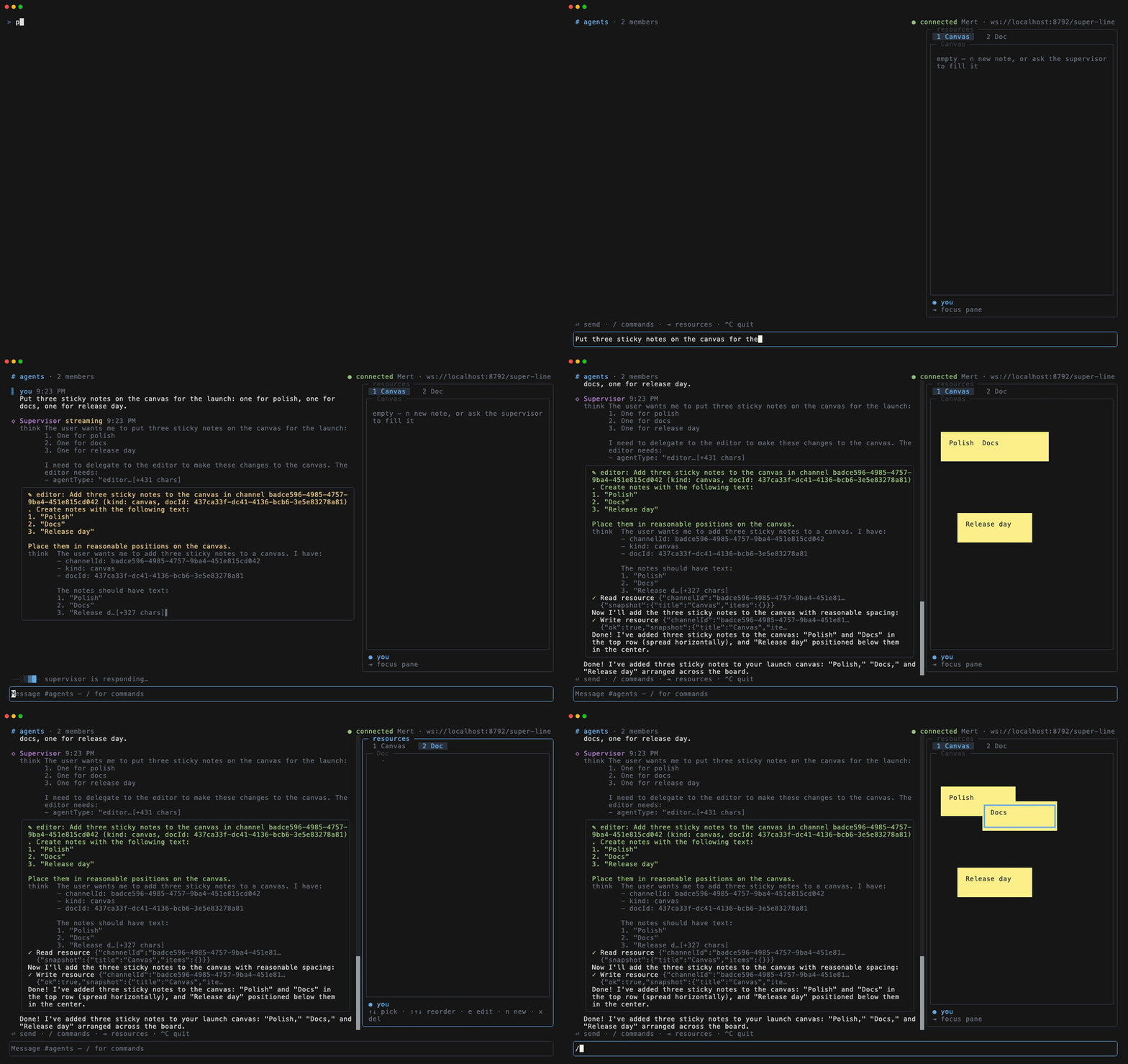
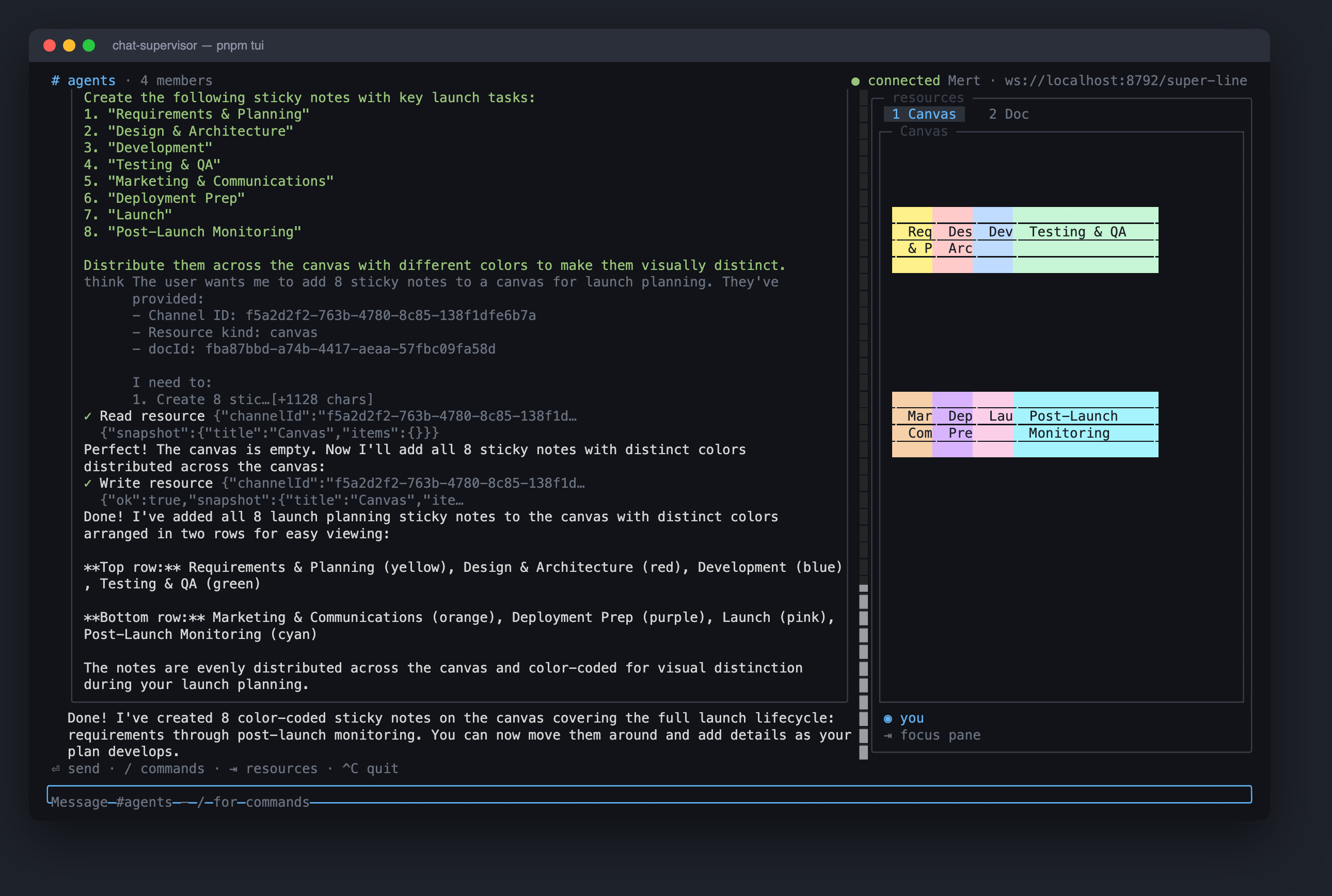
A crisp still of the same flow: full-resolution screenshot. Both are reproducible — the example checks in the vhs tape and the captureSpans-based screenshot script.
The point: the hooks don't care about the DOM
The cockpit is deliberately not a second client implementation. It mounts the exact providers and hooks the web app uses — <SuperLineAuthProvider> (plugin-auth), createChatHooks (plugin-chat), createSuperLineHooks — under @opentui/react's custom reconciler. useMessages streams the delegation tree into bordered cards, useChannelResources finds the channel's canvas and doc, useResourcePresence draws the ◉ viewer line, and the native useDoc-style handle writes your drags and edits back — none of it knows it's rendering to a terminal framebuffer instead of the DOM. If you're evaluating whether super-line's react layer survives outside a browser: this is the proof, running against a live server in CI (src/tui/smoke.tsx).
│ ✎ editor: add four sticky notes …            │  │┌─ Canvas ──────────────────────┐│
│ think  The user wants me to add four …       │  ││  ┌─────────────┐              ││
│ ✓ Write resource {"kind":"canvas", …         │  ││  │ Pick a color│ ┌───────────┐││
│ Done! I've added four sticky notes …         │  ││  │ palette     │ │ Write the │││
╰──────────────────────────────────────────────╯  ││  └─────────────┘ │ hero copy │││
                                                  ││    ┌────────────┐└───────────┘││
 ⏎ send · / commands · ⇥ resources · ^C quit      ││    │ Launch Fri!│             ││
                                                  │└────└────────────┘─────────────┘│
What the terminal keeps from the web UI
- The canvas is spatial, not a list. Notes render as colored boxes at their true web coordinates (scaled), so when the agent — or a browser user — moves a note, it moves here. Overlap is allowed on purpose; selecting brings a note to front. Mouse click-selects and drags;
m+ arrows nudges without a mouse. - Delegation cards stream live, reasoning as a dim
thinkprefix, tool calls with state glyphs — the same part model as the web feed, folded by the sameparent-nesting logic. - One keyboard owner at a time (a pattern ported from the super-harness TUI): the prompt owns keys; Tab on an empty prompt hands them to the pane; a dialog takes them while open.
/opens the command popover;↑recalls history;Shift+Enterinserts a newline. - Login is real plugin-auth email/password (register on first run), with the access token cached to
~/.chat-supervisor-tui.json— restarts reconnect silently, and the headless shell reuses the same file.
Run it
pnpm install                        # repo root
cd examples/chat-supervisor
echo 'AI_GATEWAY_API_KEY=…' > .env
pnpm dev            # server + web — then, in another terminal:
pnpm tui            # requires bun (OpenTUI uses bun:ffi)
Open the web app and the TUI side by side, drag a note in one, and ask the supervisor to "add a note for each launch task" from either — every face converges on the same CRDT document.
Related: attach channel resources · stream an agent's turn · drive a channel from scripts · CRDT document collections